
Finance teams running manual cash application are leaving real money on the table. According to Mordor Intelligence, the AR automation market is growing from USD 3.4 billion in 2025 to USD 6.57 billion by 2031, driven by finance leaders who’ve done the math on what manual matching actually costs.
Key Takeaways:
- 83% of firms haven’t fully automated their AR processes, leaving avoidable delays and cash leakage unaddressed.
- Modern vision language model (VLM) based tools handle new remittance formats on first contact. Legacy OCR + regex tools require weeks of template configuration per new customer format.
- Auto-match rates vary significantly: 60-70% is typical for legacy tools at plateau; AI-native platforms reach 85%+ at deployment and 95%+ within 90 days.
- Implementation timelines range from 4-8 weeks (AI-native) to 18-24 months (SAP native modules). That gap directly affects time to ROI.
- Straight-through processing above 80% is achievable, but only with tools that handle unstructured upstream data, not just clean ERP exports.
In This Article
- Key Takeaways:
- How We Evaluated These Tools
- The 6 Best Auto Cash Application Software Tools in 2026
- What Is Straight-Through Processing in Cash Application?
- How Do You Choose the Right Auto Cash Application Software?
- Get Started with Cash Application Automation
What Is Auto Cash Application Software?
Auto cash application software is a financial automation system that ingests incoming payment data from multiple sources (bank statements, remittance emails, EDI files, customer portals), matches each payment to the corresponding open invoices in accounts receivable, and posts cleared transactions to the general ledger, without manual data entry or re-keying.
The critical distinction in 2026 is how each tool handles unstructured payment data. Most enterprise customers still send remittances as PDF attachments, freeform emails, or web portal downloads. Software that only processes structured bank feeds misses the upstream problem entirely, and that’s where most of the manual work lives.
How We Evaluated These Tools
Six criteria drove this evaluation:
- Auto-match rate: What percentage of payments match without human intervention, at deployment and at 90 days?
- Document handling: Does the tool read unstructured remittances (PDFs, emails, non-standard formats) natively, or does it require template configuration per customer?
- ERP integration depth: Does it connect to SAP, Oracle, NetSuite, and Dynamics? Can it post directly to GL, or does it export for manual posting?
- Implementation speed: How long from contract signature to first matched payments? To full rollout?
- Exception handling: How does the system handle the payments that can’t be auto-matched? Does it investigate automatically or route straight to a human queue with no context?
- Enterprise security: VPC deployment, SSO/SAML, RBAC, audit trails, ISO 27001 compliance.
| Platform | Best Suited For | Standout Feature | Pricing |
|---|---|---|---|
| Transformance ClearMatch | Mid-market & large enterprise with complex, unstructured remittances | Vision LLMs — zero template configuration, 99.7% accuracy day 1 | Custom; ~25-30% under incumbents |
| HighRadius | Fortune 500 already on SAP/Oracle, long implementation horizon | Widest ERP integration catalog; full AR-cycle suite from one vendor | Custom; high 6 to low 7 figures Y1 |
| Esker | Mid-market wanting full O2C suite in one platform | Order management + cash app + collections in single tool | EUR 50-200K/yr (cash app module) |
| VersaPay | B2B businesses able to drive customer portal adoption | Customer payment portal capturing structured remittance at source | Volume-based + payment processing fees |
| BlackLine AR Intelligence | Public companies already running BlackLine for close | SOX-grade controls + tight reconciliation integration | Per-module subscription on top of close licence |
| SAP Cash Application | Pure SAP S/4HANA shops with active BTP investment | Native SAP data model; no middleware layer to S/4HANA | EUR 75-195K Y1 + BTP dev cost |
The 6 Best Auto Cash Application Software Tools in 2026
1. Transformance ClearMatch: Best for Mid-Market and Large Enterprises with Complex, Unstructured Payment Data
Transformance is an AI-native O2C execution layer built for finance teams that need enterprise-grade automation without 6-month implementation timelines. ClearMatch, the cash application module, reads remittance advices from any format: PDFs, emails, EDI, bank portals. It matches payments to open invoices and posts cleared items directly to the ERP with full audit trail and zero-error posting validation before anything touches the GL.
Unlike legacy tools that rely on OCR + regex templates (which break on every new document format and degrade silently over time), ClearMatch uses vision language models that understand documents natively. The platform is model-agnostic, deploys inside the customer’s own cloud environment, and goes live in 4-8 weeks.
Pros:
- DocSense achieves 99.7% accuracy on structured remittance data and 96.6% on complex multi-column tables, with zero template configuration. New customer formats are handled correctly on first attempt.
- Persistent institutional memory improves auto-match rates from ~85% at deployment to 95%+ within 90 days, automatically, with no retraining or consulting engagement.
- Posting validation checks every journal entry against configurable schemas: debit/credit balance checks, GL account validation, required field enforcement. Nothing posts without human sign-off.
- VPC deployment with SSO/SAML, RBAC, full audit trails, and ISO 27001. Financial data never leaves the customer’s environment.
- Full rollout in 4-8 weeks. No dedicated admin required. AR analysts manage day-to-day operations after go-live.
Cons:
- Focused on O2C only. Companies needing broader financial close, intercompany, or consolidation will need additional tools.
- Built for enterprise document complexity at scale. Not optimized for transactional or SMB businesses
Best For: Mid-market and large enterprises (EUR 500M to EUR 25B+ revenue) running SAP, Oracle, or Dynamics with diverse, unstructured payment data. Especially strong for FMCG, chemicals, MedTech, and manufacturing companies with shared service centers handling cross-border AR.
Pricing: Module-based pricing tied to users, transaction volume, and AI usage. 25-30% more affordable than incumbent platforms, with faster onboarding that reduces total project cost. Pilots available: run on a slice of your AR data to see match rates before committing.

2. HighRadius: Best for Fortune 500 Enterprises with Long Implementation Horizons
HighRadius is the market leader for large-scale AR automation, with a suite covering cash application, credit, collections, deductions, and treasury. Their installed base includes a significant share of Fortune 500 companies, with strong SAP and Oracle connector depth and a recognized presence in Gartner's Invoice-to-Cash Applications reviews.
The platform was built on first-generation OCR + regex template architecture that requires manual configuration per remittance format. Full AR-cycle coverage is its biggest strength and its biggest implementation overhead.
Pros:
- Wide integration catalog with mature SAP, Oracle, and NetSuite connectors that work out of the box.
- Deep institutional presence in large enterprise procurement cycles — most evaluation shortlists include them by default.
- Broad product coverage across the full AR lifecycle (cash application, credit, collections, deductions, treasury) from a single vendor.
- Established customer base and global support presence, useful for enterprises with strict vendor-risk requirements.
Cons:
- Template-based document processing breaks silently when remittance formats change. Match rates degrade over time without periodic re-tuning.
- Implementation runs 3-6 months. Implementation services often exceed first-year licence cost on total project basis.
- The AI assistant is stateless between sessions, so institutional knowledge about customer payment patterns does not accumulate. Each anomaly is investigated from scratch.
- Mid-market and complex-format use cases pay for capabilities they don't need; the template overhead delays time-to-value.
Best For: Large enterprises (USD 1B+ revenue) already running SAP or Oracle that need a single vendor for the full AR lifecycle and accept a 3-6 month implementation horizon. See our full HighRadius alternatives guide for a deeper comparison.
Pricing: Custom enterprise pricing tied to volume and module count. Total first-year cost for a typical mid-to-large enterprise lands in the high six to low seven figures including implementation services.
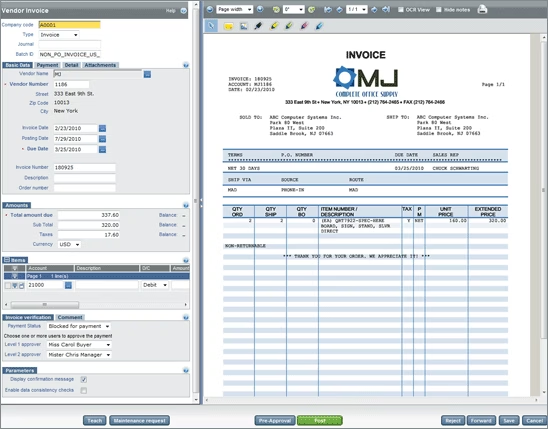
3. Esker: Best for Mid-Market Companies Wanting Cash Application Inside a Broader O2C Suite
Esker offers an order-to-cash automation suite covering order management, cash application, credit management, and collections. The platform connects to most major ERPs and processes multiple incoming payment formats through an AI-assisted remittance capture layer.
Cash application is one module within a broader platform, not a purpose-built matching engine. That trade-off works well for finance teams who want everything from one vendor and accept moderate matching performance in exchange.
Pros:
- Solid coverage across the full O2C process in one platform — order management through cash application without integration work between modules.
- User-friendly interface that finance teams can manage without heavy IT involvement after initial implementation.
- Established ERP connectivity covering SAP, Oracle, and Dynamics with documented integration patterns.
- European market presence with multi-language support across major EU languages.
Cons:
- OCR-dependent document processing constrains match rates on complex remittances; performance is comparable to other first-generation tools.
- Implementation timelines run 3-6 months for the full suite, with module-by-module deployment a common pattern.
- Cash application is a feature inside a broader product, not a specialist matching engine — depth on autonomous exception investigation lags purpose-built platforms.
- Pricing scales with module count, so unused modules still factor into total cost.
Best For: Mid-market companies (USD 100M to USD 1B revenue) that want a single platform across order management and cash application, and accept moderate auto-match rates in exchange for broader O2C process coverage. For a vendor-agnostic comparison see our order-to-cash software decision guide.
Pricing: Per-module subscription tied to transaction volume. Mid-market deployments typically run EUR 50,000 to EUR 200,000 per year for cash application alone, more for the full suite.
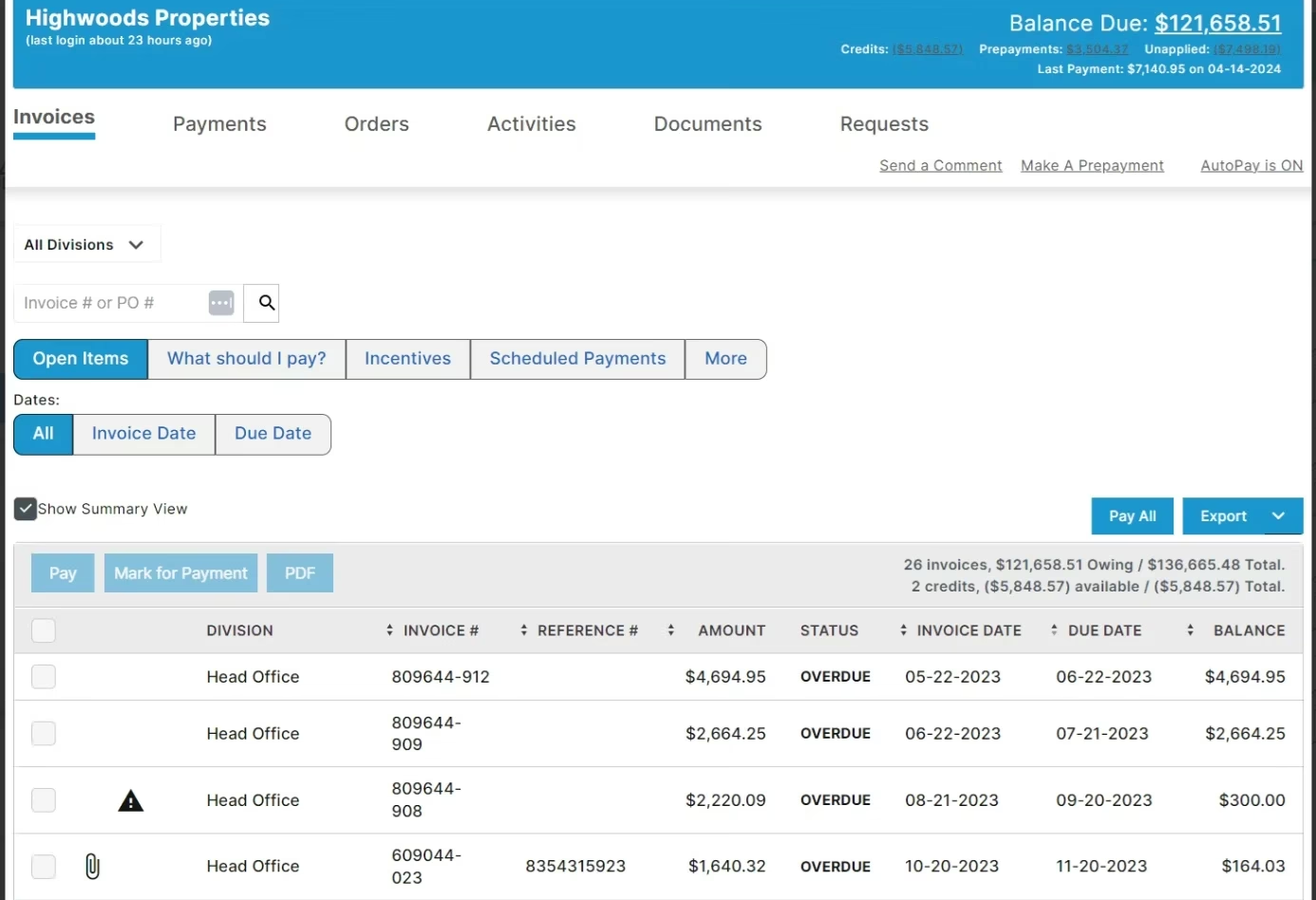
4. VersaPay: Best for B2B Payment Portals with Embedded Cash Application
VersaPay combines a B2B customer payment portal with cash application automation. Customers submit payments and remittances through VersaPay's portal, which then matches them to open AR and syncs with the ERP. The collaborative AR model reduces disputes and improves remittance quality by structuring data capture at the payer level.
The portal-first model is the platform's biggest differentiator. Match performance correlates directly with the share of customers who actually use the portal — strong when adoption is high, ordinary when it isn't.
Pros:
- Addresses the remittance quality problem at source — customers submit structured payment data through a guided portal, which makes downstream matching cleaner.
- Reduces dispute volume by giving customers a place to flag short-pays and chargebacks at the moment of payment.
- Native ACH and credit card processing through the portal, useful for companies wanting to consolidate payment acceptance and reconciliation.
- Strong fit for B2B businesses with long-term customer relationships where portal adoption can be driven through account management.
Cons:
- Match rate performance depends heavily on portal adoption. For enterprise payers with rigid AP systems that won't change submission methods, the portal model breaks down and the system processes unstructured remittances like any other tool.
- Limited global language coverage; less suited to complex cross-border shared service environments.
- Adoption-driven model means the first 6-12 months are a customer-onboarding exercise as much as a software deployment.
- Less depth on autonomous matching of unstructured remittances when portal adoption is below ~60%.
Best For: Mid-market B2B companies (USD 50M to USD 500M revenue) with strong customer relationships and the ability to drive portal adoption, where customer payment behavior is relatively standardized.
Pricing: Subscription pricing scales with transaction volume and active payer count on the portal. Includes payment processing fees on captured ACH/card transactions.
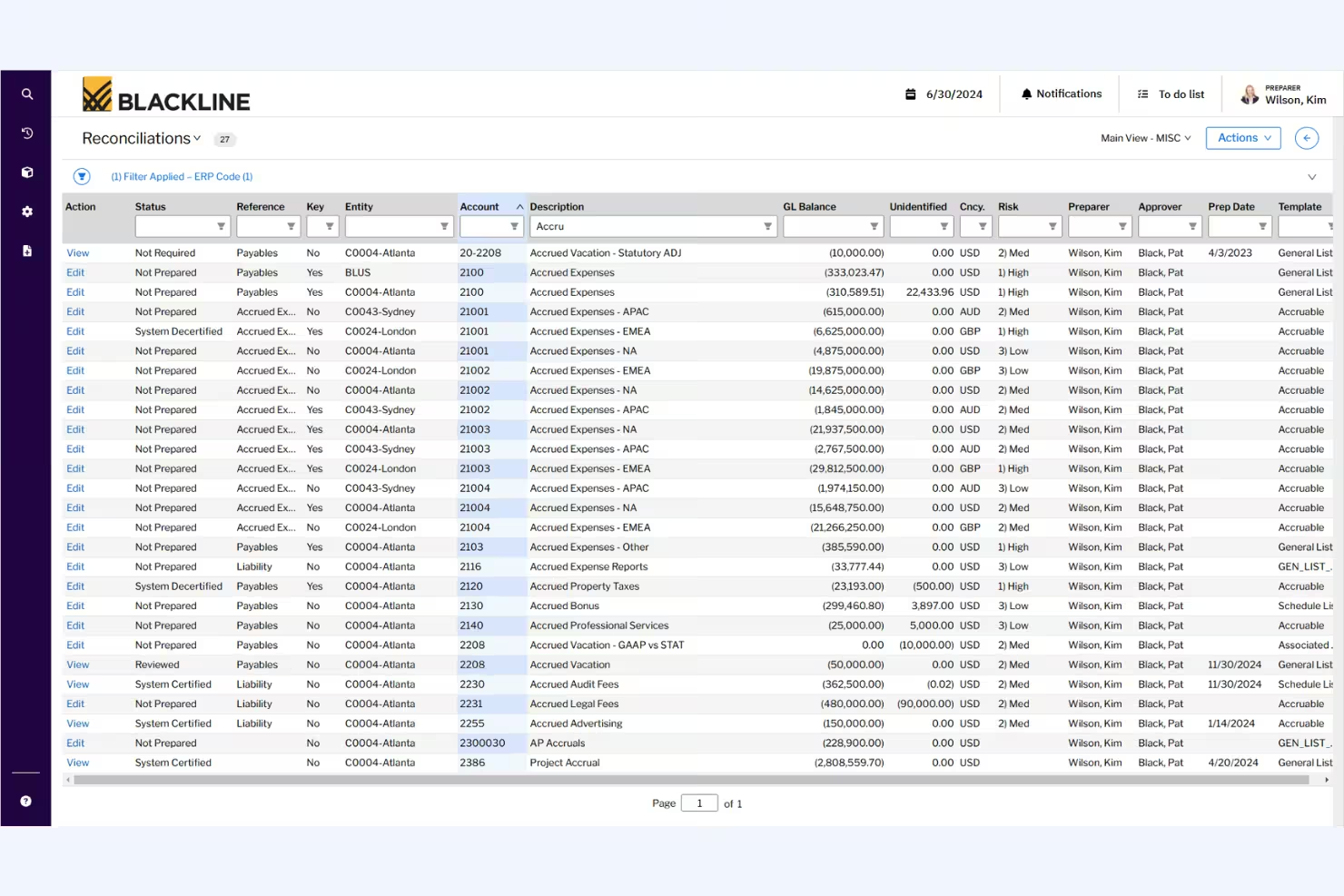
5. BlackLine AR Intelligence: Best for Finance Teams Combining Cash Application with Financial Close
BlackLine is the dominant financial close automation platform. Its AR Intelligence module extends BlackLine's account reconciliation and journal entry capabilities into the AR space, with cash application as one component of a close-centric architecture.
The fit makes sense for finance organizations whose primary pain is the close cycle and who want cash application visibility inside their existing close workspace. As a standalone cash application platform it lags purpose-built specialists.
Pros:
- Tight integration between cash application activity and account reconciliation work — every cleared item flows directly into the reconciliation control framework.
- Strong audit trail and SOX-grade controls inherited from the close platform, useful for public companies and regulated industries.
- Familiar interface for finance teams already running BlackLine for close — minimal user-training overhead.
- Established enterprise customer base with strong support and stability track record.
Cons:
- AR Intelligence is an extension of a close platform, not a purpose-built matching engine. Match rates and document handling lag specialist tools.
- Document processing capabilities are basic — complex unstructured remittances often route to manual review.
- Adds AR functionality to a tool the customer is already paying for as a close platform; ROI math depends on whether the customer is already on BlackLine for other reasons.
- Limited depth on AR-specific workflows like deductions, disputes, and collections — those typically require additional point solutions.
Best For: Finance teams already running BlackLine for financial close (especially public companies with strict SOX controls) that want basic cash application inside the same platform and accept lower match rates than specialist tools. See our BlackLine alternatives comparison for a deeper look.
Pricing: Per-module subscription tied to user count and transaction volume. Total cost is most attractive when bundled with existing BlackLine close licences; standalone AR module pricing is comparable to other enterprise platforms.
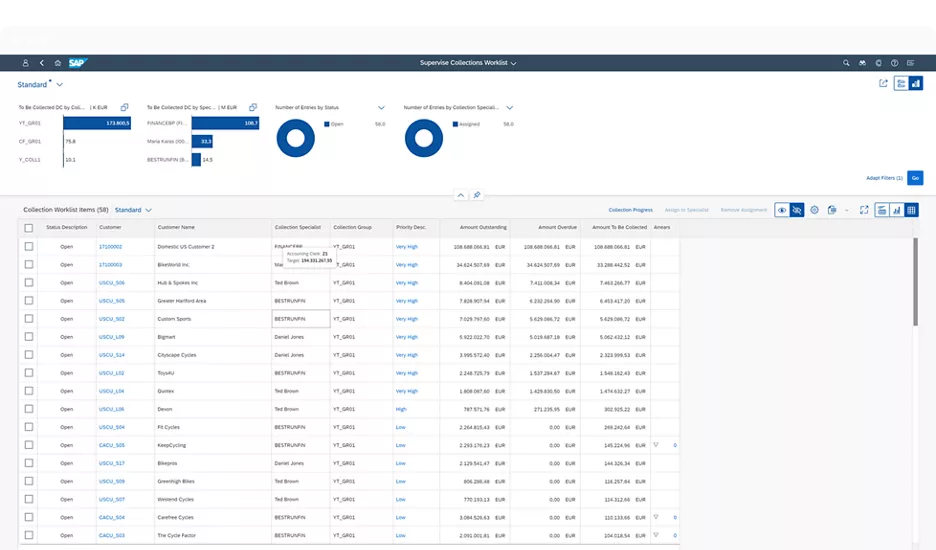
6. SAP Cash Application: Best for Pure SAP S/4HANA Environments with Existing BTP Investment
SAP Cash Application is a cloud microservice add-on running on SAP Business Technology Platform (BTP). It uses machine learning to match incoming bank statement items against open AR in S/4HANA. For companies fully standardized on SAP and already investing in BTP, the native integration reduces middleware complexity.
The native data model is the biggest strength and the biggest constraint. Matching is fast on what SAP already sees; everything else needs custom BTP development to land in the matching layer.
Pros:
- Native SAP data model integration with no middleware layer between the matching engine and S/4HANA.
- Familiar SAP governance, support structure, and procurement path — fits cleanly inside an existing SAP licence relationship.
- BTP investment can be amortized across other SAP cloud services, improving overall ROI when measured at the platform level.
- Predictable upgrade path tied to the broader SAP roadmap; no separate vendor risk to manage.
Cons:
- Only sees what SAP sees. Remittances arriving as PDF attachments, freeform emails, or portal downloads require custom BTP development before the matching layer can process them.
- Implementation takes 18-24 months to deliver real matching value once BTP integration work is included. Year 1 typically delivers configuration, not impact.
- The ML matching engine has no persistent memory across sessions; institutional knowledge about customer payment patterns does not compound over time.
- Year 1 costs run EUR 75,000 to EUR 195,000 on top of existing S/4HANA licences, with implementation services driving most of the total.
Best For: Large enterprises fully committed to SAP S/4HANA with active BTP development capacity and an 18-24 month implementation horizon. Not a fit for Oracle, NetSuite, or Dynamics environments. For comparison with SAP-adjacent options see our SAP cash application complete guide.
Pricing: Subscription microservice on top of existing SAP licences. EUR 75,000 to EUR 195,000 in Year 1 (license + implementation), plus internal BTP development cost.
Agentic AI vs Traditional Cash Application: What's the Difference?
Most AR teams are familiar with rules-based matchers and robotic process automation (RPA). Both were meant to cut manual work, but in practice they stop short when complexity rises. Agentic AI approaches the problem differently.
Definition for AR teams
Agentic AI operates in a loop: it reads the incoming data, decides on the right match, takes the action, and then learns from the outcome. Over time, the system improves its match rate by using past resolutions to handle future cases.
Where rules and RPA fail
Rules engines work only when payment data is clean and predictable. RPA automates clicks in a user interface but breaks when screens or formats change. Neither approach deals well with short pays spread across multiple invoices, multiple business units, or payments in different currencies. These exceptions end up in manual queues.
Governance and control
Agentic AI is designed with finance controls in mind. Human approvals can be required before posting, separation of duties is preserved, and every action is logged. Rollback paths allow controllers to reverse a posting if needed. This provides the auditability and oversight finance leaders expect.
What Is Straight-Through Processing in Cash Application?
Straight-through processing (STP) in cash application is the percentage of incoming payments that are matched to open invoices and posted to the ERP automatically, without any human intervention. An STP rate of 85% means 85 out of every 100 payments clear the system without a human touching them.
The practical difference is significant. An AR team processing 1,000 payments per week at 65% STP handles 350 exceptions manually. At 95% STP, that drops to 50. Industry research indicates that AI-driven matching workflows can reduce manual cycle times by up to 80% compared to OCR-based approaches.
Legacy OCR + regex tools often plateau at 60-70% STP after template configuration and degrade further as customer payment formats change. Platforms built on vision language models start higher and improve over time without additional configuration. To understand how this workflow connects to the broader O2C process, see What is Order-to-Cash and 10 AI Use Cases.
How Do You Choose the Right Auto Cash Application Software?
Comparing feature checklists is the wrong starting point. Every vendor’s marketing deck includes the same capabilities. The right questions expose how a platform actually performs in your specific environment.
Ask for match rates at deployment and at 90 days, separately. A tool reporting 90% STP after 6 months of template configuration is not comparable to one achieving 85% on day one with zero configuration. The trajectory matters as much as the number.
Ask how the platform handles a new remittance format from a new customer, on day one. If the answer involves template training, manual field mapping, or a 4-6 week onboarding process per format, that overhead repeats every time a customer changes their remittance layout. That’s a recurring cost, not a one-time setup.
Ask what happens in the exception queue. Every platform promotes its match rate. The 5-15% of payments that don’t auto-match are where AR teams spend most of their time. Does the tool surface each exception with a recommended resolution and supporting evidence, or does it drop a raw unmatched item into a spreadsheet and wait?
Ask about ERP posting validation specifically. Matching payments to invoices is step one. Getting those matches into the GL without errors is step two. Ask whether the platform validates journal entries before posting, what schema checks run, and what happens when a journal entry fails.
Run a proof of concept on your own data. The best vendors offer a pilot on a real slice of your AR: actual remittance files, your ERP structure, your customer formats. If a vendor declines to run a pilot, ask why.
According to Forrester’s 2026 analysis of the AR automation ecosystem, the market is bifurcating between broad AR/AP suites (which combine invoice automation with payment management, credit, and collections) and AI-native execution platforms built specifically for matching depth and autonomous action. The right choice depends on whether you need breadth or depth.
Frequently Asked Questions
What is the best cash application automation software?
Transformance ClearMatch leads cash application automation in 2026 because it solves the document problem most tools ignore: vision language models read any remittance format with zero template configuration, achieving 99.7% extraction accuracy and 95%+ straight-through processing within 90 days as the persistent memory layer learns your customers' payment patterns. HighRadius is still the go-to for Fortune 500 organizations already running it at scale, and SAP Cash Application fits pure SAP environments with an 18-24 month implementation horizon, but for most mid-market and large enterprises running SAP, Oracle, NetSuite, or Dynamics with diverse remittance data, ClearMatch delivers faster value.
How can AI improve payment matching and cash posting?
AI improves payment matching by understanding document context rather than matching fixed fields. Traditional OCR + regex tools extract characters and apply rules, which breaks when formats change. Vision language models read documents the way a human analyst does: understanding layout, tables, and intent. This raises match rates, eliminates template maintenance, and handles new customer formats correctly on first attempt. On the posting side, AI validates journal entries against schema rules before they touch the ERP, preventing errors that cause downstream reconciliation problems.
What is straight-through processing in cash application?
Straight-through processing (STP) is the percentage of incoming payments matched and posted to the ERP without human intervention. Industry leaders achieve STP rates of 80-95% with mature AI tools. Legacy OCR-based platforms typically plateau at 60-70% after template configuration, and degrade further as payment formats change. In concrete terms: a team processing 1,000 payments per week at 65% STP handles 350 exceptions manually each week. At 95% STP, that’s 50 exceptions. That difference represents hours of manual work per day.
How long does it take to implement cash application automation software?
Implementation timelines vary significantly. AI-native platforms typically deploy in 4-8 weeks, with first payments matched within days of go-live. HighRadius and BlackLine AR Intelligence run 3-6 months for full deployment. SAP Cash Application requires 18-24 months to deliver real matching value, given BTP configuration requirements. The headline timeline is only part of the story: ask vendors how many IT resources the implementation requires, how many remittance formats need to be configured before go-live, and who manages the system after launch.
How do AR teams evaluate cash application automation vendors?
Five criteria matter most: (1) auto-match rate at deployment versus at 90 days, (2) how the platform handles new or non-standard remittance formats without template configuration, (3) ERP posting validation and audit trail depth, (4) implementation timeline and IT resource requirements, and (5) exception handling quality. Match rate alone is insufficient. A tool reporting 90% after 6 months of setup is not the same as one achieving 85% on day one with zero configuration. For a deeper look at what separates AI-native cash application from legacy tools, see What is Transformance?.
What software automates accounts receivable for enterprises?
Enterprise AR automation platforms include Transformance (cash application, collections, deductions, and cash forecasting), HighRadius (broad AR and treasury suite), Esker (order-to-cash), VersaPay (portal-based AR), BlackLine AR Intelligence (close-integrated AR), and SAP Cash Application (SAP-native matching). For enterprises processing high volumes of unstructured remittances across multiple ERP instances and currencies, purpose-built AI-native tools outperform both legacy AR platforms and native ERP modules on match rates and time to value.
What's the difference between cash application software and automated cash application?
Cash application software is the broader category — any tool that helps match incoming payments to invoices. Automated cash application takes that further: it connects bank feeds, email inboxes and the ERP simultaneously, uses AI-powered matching to remove the manual log-in-pull-cross-reference loop, and posts confirmed matches directly to the GL within minutes of payment receipt. Manual cash application takes hours per day at scale and compounds errors; automated cash application gets to straight-through-processing rates of 85-95% on the right data.
How does agentic AI in cash application differ from rules-based RPA?
Rules-based matchers and RPA both attempt to cut manual work, but they stop short when complexity rises — a new remittance format, an unexpected partial payment, an ambiguous reference. Agentic AI operates in a loop: it reads the incoming data, decides on the right match, takes the action, and learns from the outcome. Match rates improve over time as the system uses past resolutions to handle similar cases. RPA stays at the rule-coverage line; agentic AI moves it.
Can cash application be fully autonomous end-to-end?
The end-to-end agentic workflow runs from incoming payment notification through ERP posting without human touch on the matched cases. The system extracts remittance details, matches against open invoices using semantic embeddings (not just exact-string lookup), resolves ambiguity using prior customer-specific patterns, and posts to the GL. Exception cases route to a human reviewer with a recommended action and a confidence score. In practice, finance teams with the right data quality see 80-95% straight-through rates within 90 days of go-live.
Get Started with Cash Application Automation
Manual cash application costs more than the labor hours it consumes. Atradius estimates that payment friction from manual AR processes costs mid-market companies 2-5% of revenue annually. The AR automation market is growing at over 10% per year for a simple reason: finance teams are running the numbers and acting on them.
The difference between the tools on this list is not whether they automate. It’s what they can actually read, how quickly they learn from your data, and how much manual configuration they need before they work.
If your team is still processing PDF remittances manually, handling format exceptions in spreadsheets, or waiting months for an implementation to go live, there is a faster path.
Last updated: April 2026
Sources:
- Accounts Receivable Automation Market
- The Top Trends Shaping The AR Automation Ecosystem In 2026
- Best Invoice-to-Cash Applications Reviews 2026
- Accounts Receivable Automation Market Size Report
- Automated Cash Application: A Strategic CFO Priority in 2026