


Key Takeaways
- Automating cash application takes seven steps in a fixed order: connect data and capture remittances before you write a single matching rule.
- Among users of the cash application software Hackett assessed, the median auto-match rate is 70%, and a third exceed 80% (The Hackett Group, 2025).
- AI raises match rates by reading unstructured remittances, resolving payer names that don’t match the customer master, and splitting lump sums across invoices.
- Build exception handling and posting validation before go-live, so no automated match becomes an unchecked ERP posting.
- Measure the touchless match rate, not the total match rate, and go live on one entity before you expand.
In This Article
- Key Takeaways
- Why is the cash application process so hard to automate?
- What do you need before you start cash application automation?
- How to automate cash application in 7 steps
- How does AI improve cash application match rates?
- Common mistakes when automating cash application
- What results should you expect from automated cash application?
Why is the cash application process so hard to automate?
Cash application is hard to automate because the payment and the information that explains it usually arrive separately, in different formats, and someone has to put them back together before the ERP can clear an invoice.
Cash application means matching each incoming payment to the open invoices it pays and posting the result. In an AFP survey of US finance professionals, checks now account for 26% of B2B payments, down from 33% in 2022, and 25% of organizations still receive payments by check (AFP, 2025).
An electronic payment carries a thin reference line; the detail sits in an email, a PDF, a spreadsheet or a portal. Email was the most common channel for ACH remittance details, used by 61% of the US organizations AFP surveyed (AFP, 2022).
Many organizations accept automation rates below 40%, take up to three days to post payments and carry up to 6% of cash unapplied (The Hackett Group, 2025). Until cash is applied, collections chases invoices that are already paid, and your cash position is a guess.
What do you need before you start cash application automation?
You need a scope, baseline numbers, an owner for each step, and read access to bank statements, open items and the customer master. Software choice comes after this, not before.
- Scope: one legal entity, its bank accounts, and the payers that make up most of the volume.
- Baseline over two to four weeks: payments per month, touchless match rate, hours from bank statement to posting, unapplied cash at period end, exceptions by reason.
- Owners: the AR lead owns exceptions, the controller owns posting approval, IT owns access to bank files and the ERP.
- Data access: bank statement files, ERP open items, the customer master, the shared AR inbox and portal logins.
Tool choice is a separate decision: see how AR teams evaluate cash application automation vendors.
How to automate cash application in 7 steps
Work through seven steps in order, and close each one on its “done when” line before you start the next.
- Connect bank, ERP and customer data. Done when every payment on today’s bank statement arrives with its candidate open items.
- Capture remittances from every channel. Done when extraction accuracy is measured on a sample of real remittances from your top payers.
- Layer matching: rules, tolerances, then AI. Done when the confidence threshold is set and back-tested on at least 90 days of history.
- Design exception handling before go-live. Done when every exception type has a reason code, an owner and a deadline.
- Validate every posting before it reaches the ERP. Done when no entry can post without passing validation and an approver’s sign-off.
- Go live on one entity, then expand. Done when the parallel run meets the go/no-go criteria you agreed up front.
- Measure and tune every week. Done when touchless rate, time to post and unapplied cash are reported against the baseline.
Step 1: Connect bank, ERP and customer data
You need three feeds: bank statements (daily CAMT.053, MT940 or BAI2 files, or an API), ERP open items and the customer master.
Clean the master data first. Duplicate customers, missing payer bank accounts and stale parent-child links cause failed matches that no algorithm will fix. Pull 90 days or more of cleared payments for back-testing in step 3.
Step 2: Capture remittances from every channel
Remittances arrive through the shared AR inbox, PDF and spreadsheet attachments, customer portals, EDI 820 files, lockbox data and the bank reference line. Every remittance advice has to land in one flow.
Template-based OCR needs a template for each layout and breaks when a customer changes its format. Vision language models read layout, tables and context, so a new format is read on the first attempt. Transformance’s DocSense uses vision language models, not OCR plus regex, and reaches over 97% extraction accuracy across 100+ document types and 170+ languages with zero template configuration.
Structured data helps without finishing the job, which is why e-invoicing alone will not automate cash application.
Step 3: Layer matching: rules, tolerances, then AI
Build matching in three layers, from cheapest to most capable.
- Rules: exact invoice number plus amount plus customer. Cheap, explainable, right for clean payments.
- Tolerances: rounding, bank charges and FX differences under a set amount, each written off to a named account with an audit entry.
- AI: payer names that differ from the customer master, missing or wrong invoice numbers, one payment covering many invoices, or many payments covering one.
AI payment matching gives every proposed match a confidence score. Above the threshold, the match joins the batch for validation and approval; below it, the match goes to the exception queue with the reason and a suggested match.
Set the threshold by back-testing: pick the level where proposals agree with what your team actually did. “Auto-matched” means no one had to find the match, never that the entry posts without review (step 5).
Step 4: Design exception handling before go-live
Every exception needs a reason code. At minimum: unidentified payer, missing remittance, short pay, overpayment, duplicate and deduction.
Each code gets an owner and a deadline (for example, unidentified payers resolved within two business days). The analyst sees the remittance, the candidate invoices and why the match fell below the threshold.
Every resolution feeds back into matching, so the same exception doesn’t return. Deductions need a workflow of their own; see automating partial payments and deductions.
Step 5: Validate every posting before it reaches the ERP
Give this step the same weight as matching. Matching is a proposal; posting changes the ledger.
Before any entry posts, check that debits equal credits, the GL account and company code are valid for the entity, required fields are filled, the clearing hits the right open items and write-offs stay within tolerance. The controller (or a delegate) reviews a batch preview with pass or fail per entry and signs off. Whoever resolves exceptions should not approve postings.
Transformance runs 100% posting validation, and nothing posts without human sign-off. The agent works under a 4-level approval model (read, recommend, execute, post) with a human in the loop for ERP postings, and connects to SAP S/4HANA and ECC, Oracle, NetSuite and Dynamics.
Step 6: Go live on one entity, then expand
Run your scoped entity in parallel with the current process for two to four weeks: the system proposes and validates, your team keeps posting as today, and you compare.
Agree the go/no-go criteria first: touchless rate against baseline, correction rate, posting validation failures and exception backlog age. Here is how to structure a pilot week by week.
Then expand in a fixed order: the next entity, the next payment channel, then the long tail of payers. With Transformance, proof of value takes 4-5 weeks on one entity, and a full rollout takes up to 4-8 weeks.
Step 7: Measure and tune every week
Track these numbers against your baseline:
- Touchless (auto-match) rate = payments matched without manual work / total payments received.
- Exception rate by reason = exceptions per reason code / total payments.
- Time to post = hours from bank statement receipt to validated, approved ERP posting.
- Unapplied cash = unapplied and on-account cash at period end / receipts in the period.
- Correction rate = automated matches later reversed / automated matches.
Report touchless, not total: a “total match rate” counts payments your team matched by hand, so it hides the work. Each week, fix the top three exception reasons at the source (master data, a rule, or retraining from corrections).
How does AI improve cash application match rates?
AI agents such as Vero, built into Transformance, improve cash application match rates by reading remittances that rules can’t parse, recognizing payers whose names or references don’t match the ERP, splitting payments across invoices, and learning from every correction your team makes.
Among users of the cash application software Hackett assessed, the median auto-match rate is 70%, a third exceed 80%, and 61% match payments on the day they arrive (The Hackett Group, 2025). Rules handle clean references; AI cash application works on the rest through five mechanisms:
- Reading unstructured remittances in PDF, email, spreadsheet or portal form, without templates.
- Entity resolution: “ACME GMBH ZWEIGNL” on the bank line is the customer “Acme Group” in the ERP.
- Allocation: one lump sum split across 40 invoices, or three partial payments against one.
- Customer memory: each payer’s habits (pays net of a fixed discount, sends remittance a day late) inform the next match.
- Learning from corrections: an exception your team resolves becomes a pattern, not a recurring task.
ClearMatch reaches a 95% auto-match rate and runs end to end in under 8 minutes. Vero, the agent behind it, works on Customer 360: one graph per customer, its working memory. That is mechanism 4 in practice.
Common mistakes when automating cash application
Most failed projects automate the matching and skip the inputs and controls around it.
- Writing matching rules before remittances are captured, so the rules run on half the information.
- Treating a high confidence score as permission to post. Confidence routes a match; validation and an approver’s sign-off decide whether it posts.
- Going live on every entity at once, so no one can tell which change caused a problem.
- Running one exception queue with no reason codes, owners or deadlines, so the same items return every month.
What results should you expect from automated cash application?
Expect fewer payments handled by hand, same-day posting for most cash once the batch is approved, and analysts who spend their time on exceptions instead of lookups.
Across receivables management functions, automating cash application enables a 63% reallocation of staff and a 43% decrease in process cost (The Hackett Group, 2025). Here is what that looks like for one team, as an illustrative example (not customer data):
The 40% start sits at the edge of the “below 40%” automation rates Hackett describes; the 95% is the auto-match rate above. Even with each exception taking three times as long, the example frees about 360 hours a month.
Conclusion: automate cash application in the right order
To automate cash application, capture data and remittances before you match, build exception handling and posting validation before go-live, and roll out one entity at a time, measured against your baseline.
Frequently Asked Questions
How do you automate cash application with AI?
You connect bank, ERP and remittance data, let AI extract remittances and propose scored matches, and route low-confidence items to an exception queue. Validated postings reach the ERP only after a person approves them.
What is a good auto-match rate for cash application?
Anything above 80% puts you in the top third of the cash application software users Hackett assessed, where the median is 70% (The Hackett Group, 2025). Measure the touchless rate, meaning payments matched with no manual work, not the total rate.
How long does it take to automate cash application?
Plan for weeks per entity, not quarters, if remittance capture needs no template setup. Transformance runs a proof of value in 4-5 weeks on one entity, and a full rollout takes up to 4-8 weeks.
Can you automate cash application in SAP S/4HANA?
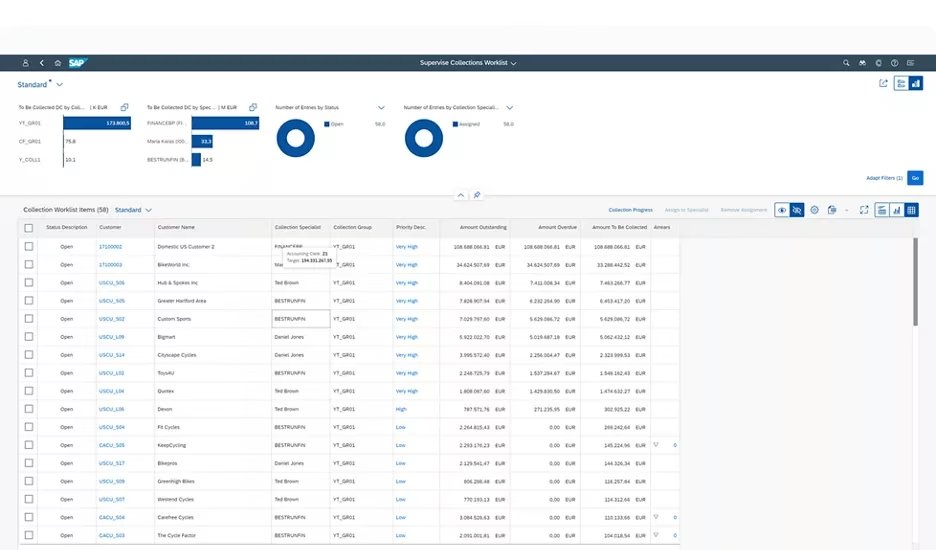
Yes. An AI cash application layer, for example Transformance’s ClearMatch, reads bank statements and remittances, matches them against SAP open items and posts validated clearing entries back to SAP S/4HANA or ECC after approval. The same pattern works for Oracle, NetSuite and Dynamics.
Does automated cash application still need human review?
Yes, for exceptions and for postings. In Transformance, AI proposes matches and validates entries, while a person approves what changes the ledger and resolves what falls below the confidence threshold.


