




Key Takeaways
- A bank file delivers amount, value date, payer and one reference per payment; the invoice list usually arrives separately.
- MT940 holds the remittance in a :86: field of 6 x 65 characters; SEPA caps remittance information at 140 characters (EPC, 2024).
- German banks dropped the MT940 rulebook in November 2025 for camt.053.001.08; Swift currently plans November 2028 for MT statements.
- Transformance reads the statement lines your ERP has imported plus remittances; ClearMatch auto-matches 95% of payments, and nothing posts without human sign-off.
In This Article
- Key Takeaways
- How do bank statement files feed automated cash application?
- Where does camt.053 put the remittance information?
- What changed for MT940 and camt.053 in 2025 and 2026?
- How does MT940 carry remittance data, and where does it break?
- How does the BAI2 file format carry remittance and lockbox data?
- Which bank formats do SAP, Oracle, Dynamics 365, NetSuite and Odoo import?
- Which gaps in bank files stop an automatic match?
- What should you ask your bank before automating cash application?
- What does one USD payment look like in BAI2, MT940 and camt.053?
- How does Transformance use bank statements and remittances?
How do bank statement files feed automated cash application?
The bank file delivers each payment’s amount, value date, payer and reference to the ERP; cash application pairs that line with the remittance and proposes which open items it clears.
Bank files at a glance: where the remittance sits and what cash application needs
Formats, versions and fields vary by bank and ERP release; confirm with your bank and ERP team.
A bank statement file is the bank’s machine-readable report of booked entries that the ERP imports as its electronic bank statement; a lockbox file is the bank’s keyed report of check payments.
Among end users of the cash application software The Hackett Group assessed, the median auto-match rate is 70%, and a third exceed 80% (The Hackett Group, 2025). The unmatched rest needs a person or an agent to join bank line and remittance.
Format changes can break that join. KPMG in Germany found that after the switch from MT940 to camt.053, many reconciliation rules built on MT940 text patterns stopped working reliably, because the data now sat in separate XML fields such as EndToEndId or RmtInf (KPMG, 2026).
Remittances by email, PDF, EDI 820 or portal are the second input (how AI reads remittance advice).
Where does camt.053 put the remittance information?
camt.053 puts each payment in an entry with transaction details: remittance text or a structured reference under RmtInf, the end-to-end ID under the references and the payer under related parties.
The path runs Stmt (statement) > Ntry (one booking) > NtryDtls > TxDtls (one block per payment) > RmtInf, which holds either free text in Ustrd or a structured creditor reference in Strd/CdtrRefInf/Ref (Oracle documentation, accessed 2026).
In a SEPA credit transfer, the remittance information is either one unstructured text or one structured block, each up to 140 characters (European Payments Council, 2024). That fits one invoice number, rarely a list of 12, and e-invoicing alone does not close that gap.
“Except for batch bookings, the
Versions vary too: camt.053.001.02 and .001.08 are both in use, and “even the SEPA bank standard has local variations” (Microsoft Learn, 2025). For payer fields such as Ultimate Debtor, see how to match a payment with no reference.
What changed for MT940 and camt.053 in 2025 and 2026?
German banks dropped the MT940 rulebook in November 2025 in favour of camt.053.001.08, while Swift currently plans to end MT statements on its network in November 2028.
Germany. The German banking industry (Die Deutsche Kreditwirtschaft) ended its MT940 rulebook in November 2025; the successor is camt.053.001.08 in DK version 3.8 (OLB customer notice, 2026). Other DACH countries are not covered by the sources used here. EBICS specification 3.7 applies since 23 November 2025 and removes the MT formats from bank-to-customer delivery (Commerzbank, 2026).
Each bank sets its own date. Commerzbank switches EBICS accesses to camt automatically on 16 November 2026 and warns that MT information may be shortened since 23 November 2025, so a group can get camt.053 from one bank and MT940 from another.
Swift. The November 2025 cut-off covered payment instructions. For statements, “the end-of-coexistence period for statements and reporting message is November 2028” as per current Swift communication; J.P. Morgan plans opt-in moves to camt from late 2026 (J.P. Morgan, 2026).
The German change is a national banking-industry standard; other countries follow their own guides. Per bank and account:
- Test camt.053 in parallel with MT940, as Postbank recommends, and adjust the field mapping.
- Re-test every rule that reads remittance text: an invoice number found in :86: may sit elsewhere in camt.053.
- Check fees: KPMG saw them “referenced within a single transaction” instead of on a separate line.
How does MT940 carry remittance data, and where does it break?
MT940 carries each payment in a :61: statement line with a 16-character reference, and the remittance in the :86: field: six lines of 65 characters, laid out per bank.
The :61: line holds value date, debit or credit mark, amount, a transaction type such as NTRF (transfer), the account owner’s reference (16 characters) and the bank’s reference (16). Field :86:, “Information to Account Owner”, is 6*65x and adds detail on “the transaction detailed in the preceding statement line” (ING format description, accessed 2026).
Bank flavours. In ING’s structured variant, each :86: subfield starts with its number and ends with a tilde (~); other banks use their own subfields or free text, so a parser built for one bank misreads the next.
Limits. Postbank lists a limited character count, often shortened details and no batch detail. The 390 characters of :86: hold payer name, account, codes and text together, and SEPA text is capped at 140, so a payment for 12 invoices rarely arrives with all 12 numbers.
How does the BAI2 file format carry remittance and lockbox data?
A BAI2 statement reports each payment in a type-coded 16 record with references, continued as text in 88 records; a BAI2 lockbox file reports invoice references and amounts per check.
Record map. 01 file header, 02 group header, 03 account and balances, 16 transaction detail (type code, amount, funds type, bank reference, customer reference, text), 88 continuation, 49, 98 and 99 trailers (Westpac BAI2 format, accessed 2026).
Standard and codes. BAI2’s technical information is provided by the Accredited Standards Committee X9. Type codes say what an entry is, such as 142 ACH credit received or 195 incoming money transfer; amounts carry no decimal point, and a 16 record can have several 88 records (East West Bank BAI2 guide, 2022). Banks add their own codes.
The text holds the reference. Some banks pass ACH addenda or wire remittance text into 88 records, others report it separately (question 5 below).
Prior-day versus current-day. A current-day file is preliminary; reconcile against the prior-day file (NetSuite’s default parsers support “BAI2 Prior-day Reporting”, Oracle NetSuite Help, accessed 2026).
Lockbox. A lockbox file is the bank’s keyed report of check payments, so its invoice references are only as good as the stubs. Ask whether it lists invoice references and amounts per check.
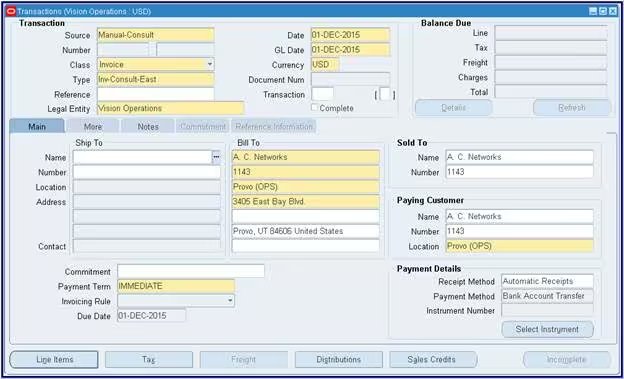
Which bank formats do SAP, Oracle, Dynamics 365, NetSuite and Odoo import?
Each ERP on this list documents its own supported bank statement formats, versions, code mapping and bank-specific adjustments; check yours before the switch.
- SAP S/4HANA: bank statements and lockbox files are imported with the Manage Incoming Payment Files app; the formats and versions it accepts depend on the release, so check SAP’s documentation for yours. See SAP S/4HANA and SAP ECC.
- Dynamics 365 Finance: “Finance supports three bank statement formats out of the box: ISO20022, MT940, and BAI2”, and “banks often diverge from this format” (Microsoft Learn, 2026); Electronic reporting is the current setup route. See Dynamics 365 Finance & Operations.
- Business Central: SEPA CAMT import out of the box through a data exchange definition (Microsoft Learn, 2025). See Business Central.
- NetSuite: the Bank Statement Parsers SuiteApp parses BAI2, camt.053.001.02 or .001.08, and MT940; default parsers take BAI2 prior-day and camt.053.001.06 (Oracle NetSuite Help, accessed 2026). See NetSuite.
- Oracle Fusion: BAI2, SWIFT MT940, EDIFACT FINSTA, camt.052.001.01 and camt.053.001.01 to .03, with code map groups that translate bank codes (Oracle documentation, 2026). See Oracle Fusion and EBS.
- Odoo: the 19.0 documentation lists CAMT.053, CSV, XLSX, OFX, QIF and CODA (Odoo documentation, accessed 2026). See Odoo.
Which gaps in bank files stop an automatic match?
Seven gaps commonly stop matches: batch bookings without detail, truncated text, references in the wrong field, missing payer data, netted fees, intraday duplicates and bank-specific layouts.
Seven bank-file gaps that stop an automatic match, and how to close them
Our rule of thumb: fix the file before you tune the matching rules; many gaps can be raised with the bank.
Keep both dates: the value date feeds cash forecasting, and the posting date must fall into an open period. A return in camt.054 should reopen the invoice it cleared, with a traceable reversal. Payer gaps are common in intercompany payments.
What should you ask your bank before automating cash application?
Ask your bank for the format version, transaction detail for every batch booking, structured remittance passed through unchanged, the payer fields, intraday and end-of-day timing and a test file.
Eight questions to ask your bank for each account
- Which format and version do you send: camt.053.001.02 or .001.08, MT940, or BAI2?
- Do batch bookings come with details, or will you send camt.054 or a lockbox file?
- Do you pass remittance information through unchanged, including structured references?
- Which payer fields arrive: name, IBAN or account number, end-to-end ID, Ultimate Debtor?
- Where do ACH addenda and wire remittance text appear in BAI2: in 88 records or a separate report?
- When do intraday and end-of-day files arrive, and how are preliminary entries flagged?
- Which transaction or type codes do you use beyond the standard list?
- Can you send a test file with real payments, and old and new formats in parallel during a switch?
Run the list per account and entity: a German account on camt.053.001.08 and a US account on BAI2 need different answers (multi-entity order-to-cash). Treasury asks the bank, the ERP team owns the import, and AR tests with real payments.
What does one USD payment look like in BAI2, MT940 and camt.053?
In this illustrative example, the same USD 48,250.00 payment carries one payment-run number in all three files, and only the remittance email names its three invoices.
Illustrative, fictional companies: Customer A pays Supplier B for invoices 90012 (USD 21,000.00), 90015 (USD 17,500.00) and 90021 (USD 9,750.00); 21,000 + 17,500 + 9,750 = 48,250.
Every format identifies payer and amount; only the remittance email lists 90012, 90015 and 90021. The match needs both.
How does Transformance use bank statements and remittances?
Transformance reads the bank statement lines your ERP has imported and the remittances from email, PDF or portals, matches them and proposes the clearing for a person to approve.
That holds whether the statement arrived as camt.053, MT940 or BAI2 (the full read and write map).
DocSense reads remittances in any format with over 97% extraction accuracy across 100+ document types and 170+ languages, with zero template configuration (Transformance platform data, 2026). ClearMatch reaches a 95% auto-match rate and runs end to end in under 8 minutes, with 100% posting validation (Transformance customer data, 2026).
For an unmatched payment, Vero, the AI agent, investigates from Customer 360, fetches internal and external information to find more matches and proposes with the evidence. A person approves within thresholds by amount, entity and customer; only then are clearing postings and journal entries written back.
Who Transformance is for
- ERPs: teams whose bank statements arrive as camt.053, MT940 or BAI2 in SAP S/4HANA (on-premises, private or public cloud), SAP ECC, NetSuite (including OneWorld subsidiaries), Microsoft Dynamics 365 Finance & Operations and Business Central, or Odoo, all running in production with customers; Oracle and Infor are supported.
- Size: mid-market to large enterprise, 250 to 2,000+ employees, including groups with several entities and shared service centres.
- Payment volume: from under 1,000 to over 100,000 payments a month.
- Industries: manufacturing, consumer goods and food and beverage, logistics, e-commerce, agriculture, energy and professional services.
- Scope: cash application alone, or the full order-to-cash (cash application, deductions, AR collections, cash forecasting).
Conclusion: fix the bank file before you tune the matching
Bank files decide how much cash application runs without a person: get transaction detail for every batch, structured references and one tested format per bank before tuning any matching rule.
Start with the accounts that carry most payments and test one month of real files in the pilot entity.
Key terms
- camt.053: the ISO 20022 XML end-of-day statement that replaces MT940.
- MT940: the Swift text statement with a :61: line and :86: text per payment.
- BAI2: the US reporting format with type-coded 16 records.
- Lockbox: a bank service that collects checks and sends their remittance data as a file.
- Remittance advice: the customer’s list of invoices a payment covers.
Related guides
- Which ERP systems does Transformance integrate with?
- What data does AR automation read from and write to the ERP?
- How do external systems post payments and clear open items?
- How do you run one AR process across SAP, Oracle and NetSuite?
- How AI reads remittance advice and matches payments
- How do you match a payment with no reference?
Frequently Asked Questions
What is the difference between MT940 and camt.053?
camt.053 is the ISO 20022 XML end-of-day statement with separate elements for references, payer, remittance and batch items, while MT940 is the older Swift text statement with one remittance field of 6 x 65 characters.
Does a BAI2 file contain remittance information?
A BAI2 statement carries references and free text per payment in its 16 and 88 records, rarely the full invoice list; a BAI2 lockbox file reports invoice references per check.
Is MT940 being discontinued?
German banks ended the MT940 rulebook in November 2025, and Swift currently plans November 2028 for MT statements on its network; your bank sets your date.
Which ERPs can Transformance read bank statements from?
Transformance reads the bank statements your ERP has imported in SAP S/4HANA, SAP ECC, NetSuite, Microsoft Dynamics 365 Finance & Operations, Business Central and Odoo, all in production with customers. Oracle and Infor are supported.
Does it work for groups with many banks, entities and high payment volumes?
Yes. Transformance is built for 250 to 2,000+ employees and from under 1,000 to over 100,000 payments a month. Multiple SAP instances and company codes, NetSuite subsidiaries and Dynamics 365 legal entities consolidate in one Transformance environment.
How long does it take to connect bank statement data to Transformance?
The ERP connection typically takes 2-3 days, and your IT team may be involved; the full rollout takes up to 4-8 weeks.
What does it cost to automate cash application on bank statement data?
The cost depends on scope and the number of entities. Book a Call and we size it with you.
SAP, SAP S/4HANA, Microsoft, Dynamics 365, Business Central, Oracle, NetSuite, Odoo and Infor are trademarks of their respective owners (SAP SE, Microsoft Corporation, Oracle Corporation, Odoo S.A., Infor). Transformance is not affiliated with or endorsed by them.


